> For the complete documentation index, see [llms.txt](https://docs.pirlmeet.com/llms.txt). Markdown versions of documentation pages are available by appending `.md` to page URLs; this page is available as [Markdown](https://docs.pirlmeet.com/skypirl-pirl/restore-wallet-with-secret-12-phrase.md).
# Restore wallet with secret 12 phrase
### Note: [polkadot-js extension](https://addons.mozilla.org/en-US/firefox/addon/polkadot-js-extension/) only support on computer, you cannot restore via mobile phone
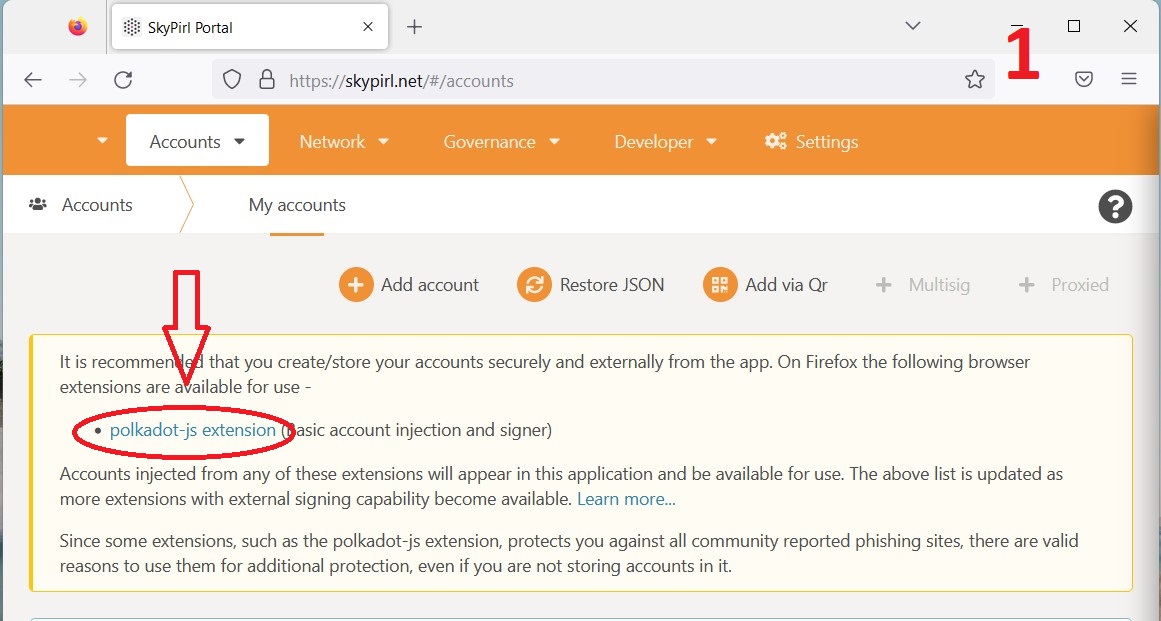
**Step 1:** You go to the[ **SkyPirl.net**](https://skypirl.net/#/accounts) website, then choose to add [**polkadot-js extension**](https://addons.mozilla.org/en-US/firefox/addon/polkadot-js-extension/)
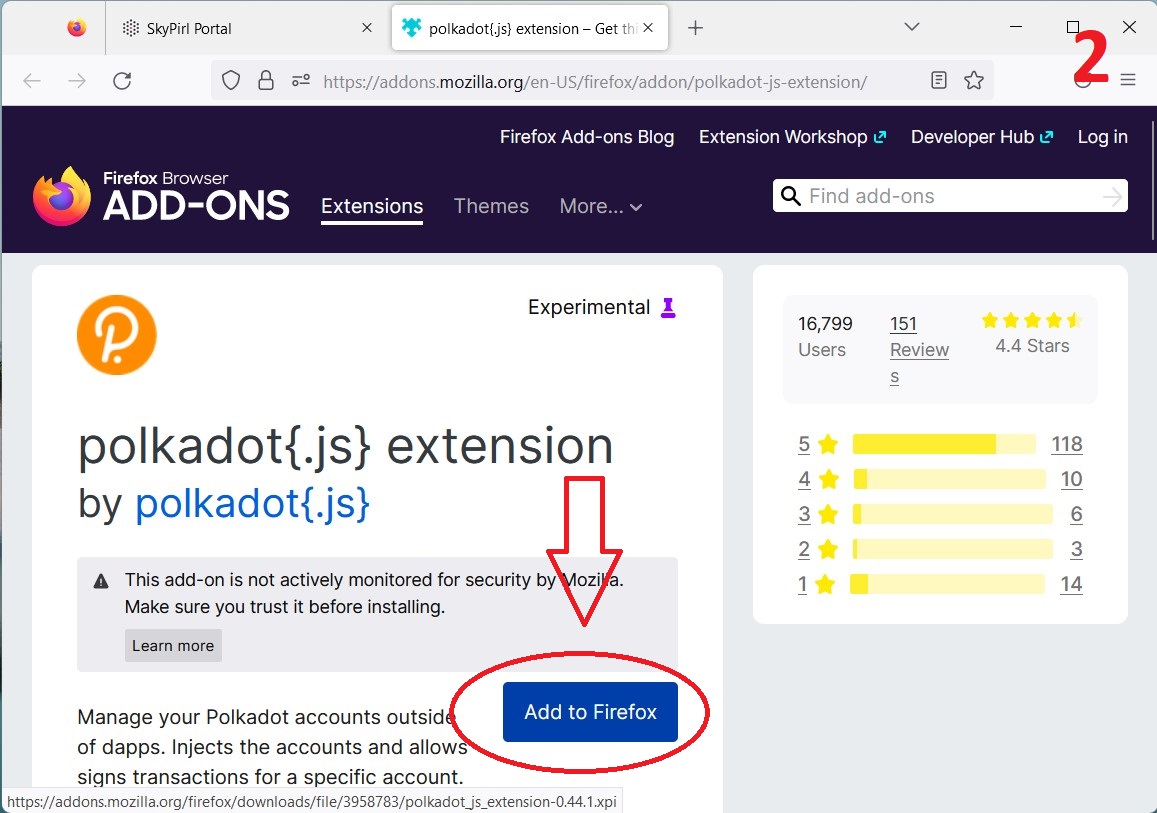
**Step 2:** A new window will appear select "**Add to Firefox**"
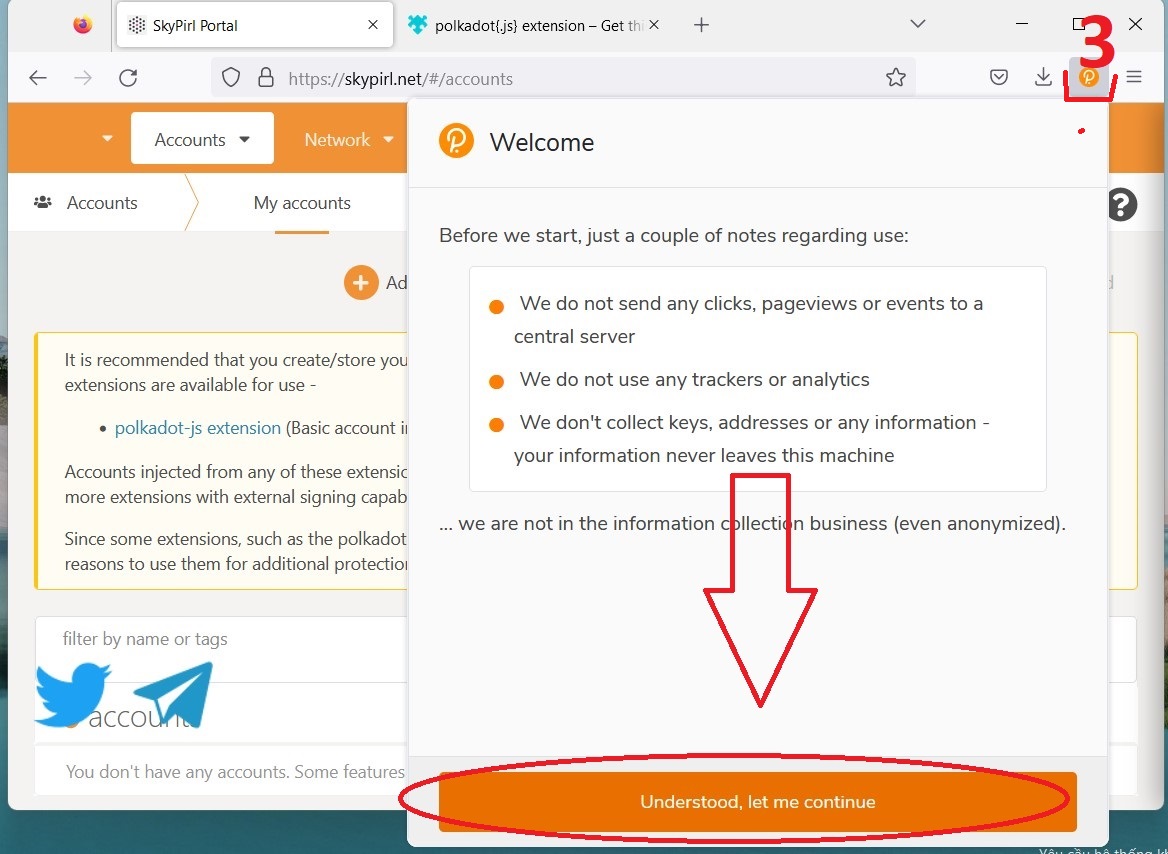
**Step 3:** click on **polkadot{.js}** and select "**Understood, let me continue**"
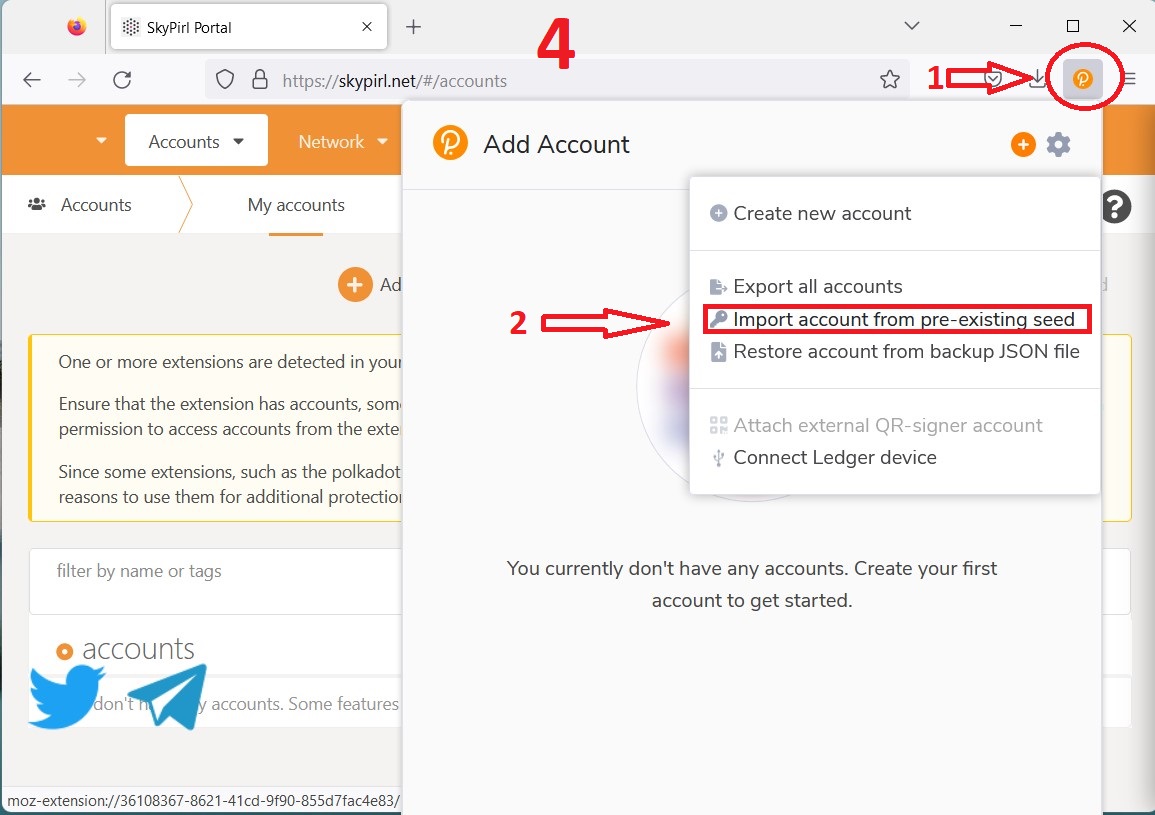
**Step 4:** Click "**import account from pre-existing seed**"
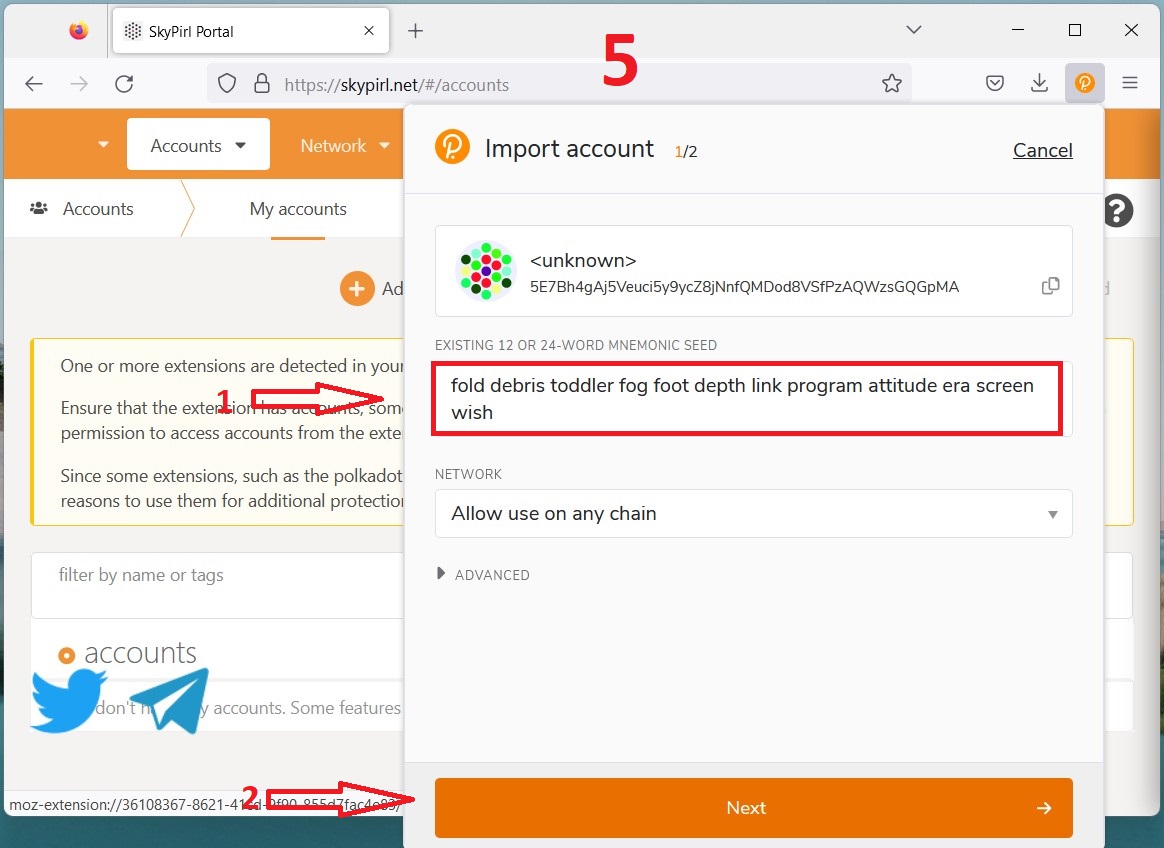
**Step 5:** Enter the secret **12 phrase** and click "**Next**"
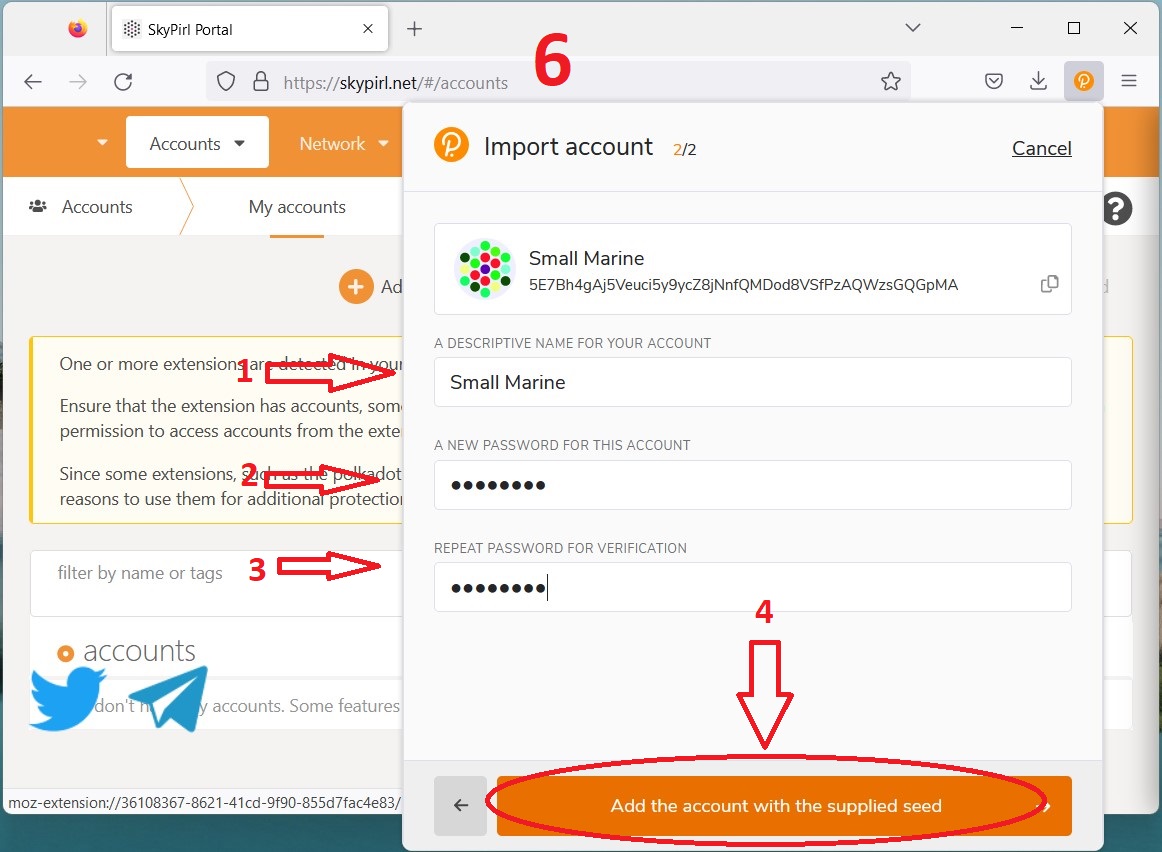
**Step 6:** You fill in information such as your **account name** and **create a new password**, then click "**Add the account with the supplied seed**"
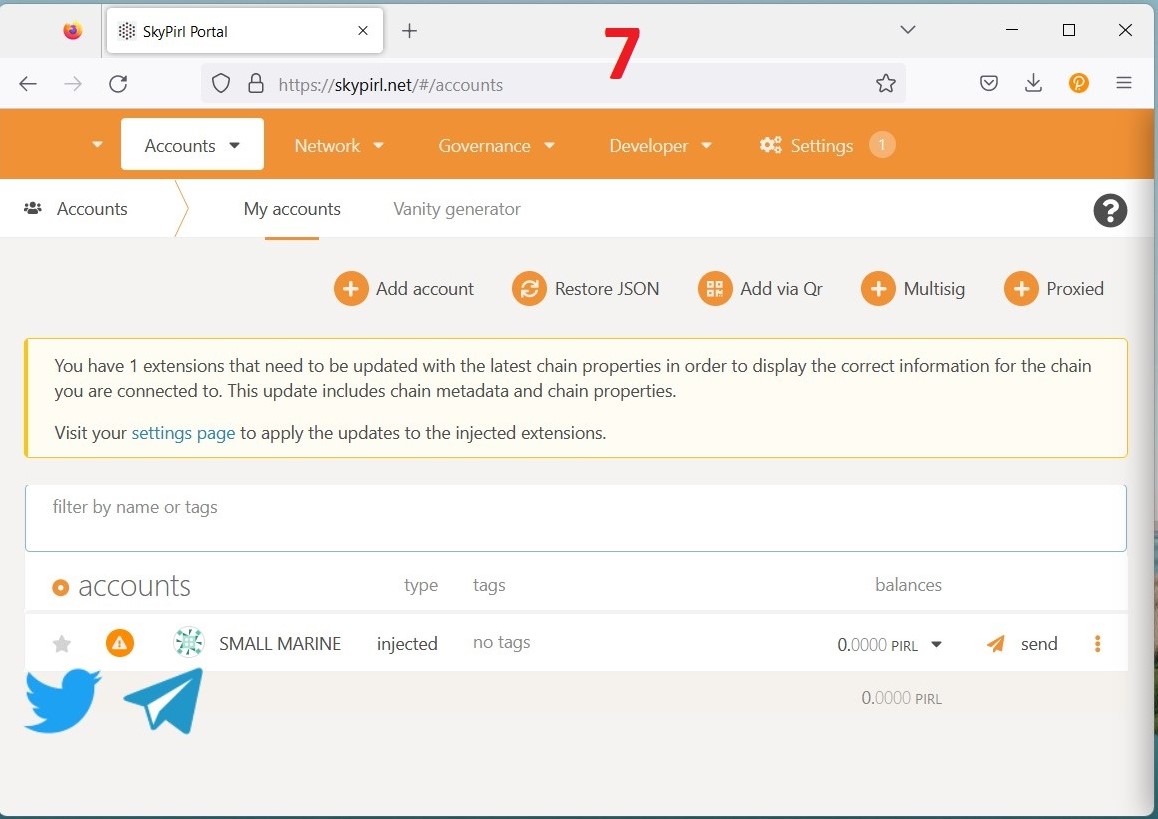
**Step 7:** **Reset** browser again (**F5**)
**Good luck**
#### Room-House.com SkyPirl Pirl Rumhaus